My Alerts
My Alerts is your personal shortlist — the alerts you care about, saved in one place and synced across every device you sign in on.
Starring an alert
Anywhere you see an alert — in the alerts table, on the detail page, or in Alert Charts — there's a ⭐ star. Tap it to add the alert to My Alerts; tap again to remove it. The change shows instantly.
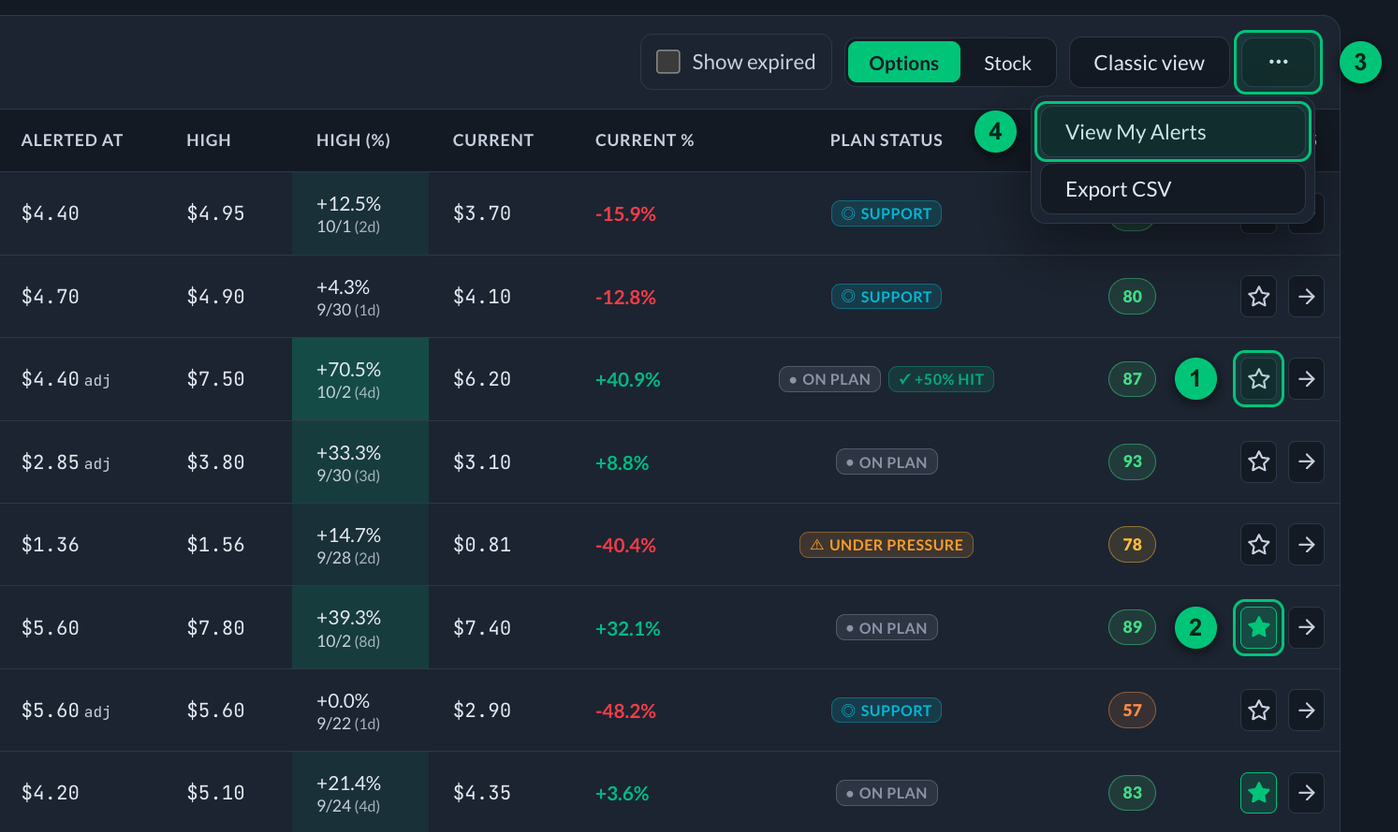
① Star — click it to add the alert to My Alerts. ② Filled star — this alert is already in My Alerts; click again to remove it. ③ ⋯ button — opens the menu at the right of the alerts header. ④ View My Alerts — narrows the table to your starred alerts.
Seeing just your alerts
- On the home page, open the ⋯ menu at the right of the alerts header and pick View My Alerts to narrow the table to only your starred alerts. Pick Show All Alerts to go back.
- In Alert Charts, the My Alerts view shows your starred alerts as charts, which you can further filter by status, type, or ticker.

The home page with View My Alerts on.
① Count — the count next to the title drops to your starred alerts. ② Filled star — every row left is one you starred. ③ ⋯ button — open it again and choose Show All Alerts to bring back the full table.
It syncs everywhere
Your starred list is tied to your account, not your browser — star something on your laptop and it's there on your phone. (If you'd starred alerts on a device before this synced, those get merged into your account automatically the first time you sign in there.)
- ⭐ My Alerts sync across all your devices (tied to your account).
- 📝 Notes on an alert detail page are saved only in the browser where you wrote them.
Star the handful of alerts you're actively watching, flip on View My Alerts, and the home page becomes your own tight dashboard instead of the full firehose.